tiistai 26. huhtikuuta 2016

Installing MongoDB on OSX EL Capitan

So I recently started using OSX and I have been struggling with all the commands around. I tried to install MongoDB about 10 hours before finally getting how to do it. So here is short how I did it.

1. Install homebrew http://brew.sh/
2. brew install mongodb
3. brew install autoconf
4. brew install php56 //This is optional I think
5. brew install openssl
6. brew link openssl --force
7. Install PEAR and PECL http://jason.pureconcepts.net/2012/10/install-pear-pecl-mac-os-x/
7. sudo pecl install mongo
8. locate your php ini which is loaded. php --ini (Loaded Configuration File:         /usr/local/etc/php/5.6/php.ini)
9. add line extension=mongo.so somewhere in the file
10. Edit file /etc/apache2/httpd.conf and add line LoadModule php5_module /usr/local/opt/php56/libexec/apache2/libphp5.so (this points to the installed php version)
11. sudo apachectl restart
12. create php.info file and check that you see mongodb installed.

torstai 7. toukokuuta 2015

Setting up DNS on Namecheap: host records

Here is a picture how to setup host records properly on Namecheap.

Host Name: @ & www should be A record type and point to your server IP address. TTL can be keept at default value. This means anyone can now connect to my domain nikiahlskog.com with www. or without. Subdomain is added like "ida" and then ip of my server and record type A. www.ida subdomain is set with CNAME. On the server side, virtualhost file forwards the requests for the user.

perjantai 3. huhtikuuta 2015

TestLink

I wanted to have Quality Center like QA program that runs under LAMP stack. Finally I found the solution which is called TestLink: http://testlink.org/

TestLink is open source test management system. It only requires LAMP + htaccess allow override. It is also easy to install.

<VirtualHost *:8080>

        ServerAdmin NAME
        ServerName testlink.servername.domain
        ServerAlias
        DocumentRoot /home/username/public_html/testlink/

        <Directory /home/username/public_html/testlink/>
                Options Indexes FollowSymLinks
                AllowOverride All
                #Require all granted
                Order allow,deny
                Allow from all
        </Directory>

</VirtualHost>

keskiviikko 29. lokakuuta 2014

Selenium Web Browser Automation

"Selenium automates browsers. That's it! What you do with that power is entirely up to you. Primarily, it is for automating web applications for testing purposes, but is certainly not limited to just that. Boring web-based administration tasks can (and should!) also be automated as well."


1. Go to http://www.seleniumhq.org/download/ and Download latest released version .XPI file.
2. Run it
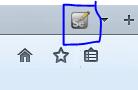
3. To open selenium in Firefox click this icon

 
4. Navigate to the site you want to automate.
5. To start recording click the red recording button.


6. Complete required test steps in browser and finally stop recording by pressing the same button again.
7. Save your selenium case.


sunnuntai 5. lokakuuta 2014

We needed a test case form in a school case because we don't have any testing program. I designed this test case form quickly. This can be used in software testing.

Testcase
UsecaseUC01UserSoda buyer
PreconditionUser has found vending machinePost-conditionCoca-cola achieved
Automatedyes/noTest case statusReady
Test designernameDate15.9.2014
Test namenameTest ID
PriorityHigh / middle / lowTester namename
ApplicationFor example java classTest case statusnot completed
Description
General description what will be tested. In this example test case user buys coca-cola from vending machine.
Job phaseDescriptionExpected outcomeTest report
1Walk to soda machineSoda machine foundOK/Fail/not completed
2Insert money to vending machineMoney inserted and vending machine accepted moneyOK
3Select product and press buttonCoca-cola falls to slotFail
jneGrab coca-colaCoca-cola achievecNot completed
DefectDescriptionComments
Job phase3
Coca-cola didn't drop to slot
I smashed the whole wending machine
Noticed byname
SeverityHigh/Middle/low
Datedate
Tester namename
StatusNew/Fixed
PriorityHigh/Middle/Low

keskiviikko 24. syyskuuta 2014

Read MySQL with graphical user interface (Windows, Linux) HeidiSQL

In this post we are going to read database with graphical user interface from my personal server which is running MySQL. I need to connect through ssh because the server doesn't accept root login. Tool used is called HeidiSQL. 

HeidiSQL is a useful and reliable tool designed for web developers using the popular MySQL server, Microsoft SQLdatabases and PostgreSQL. It enables you to browse and edit data, create and edit tables, views, procedures, triggers and scheduled events.

Download HeidiSQL from http://www.heidisql.com/download.php (works with Windows, Linux and Mac)

Install it and then download "PLINK.EXE" from: http://www.chiark.greenend.org.uk/~sgtatham/putty/download.html

Open HeidiSQL and click new session button.

Set plink.exe location where you downloaded it. 

If connecting over ssh (no root access for example) set ssh host address and port, username and password.


In settings tab put hostname as localhost, user root and MySQL password. Port is the SQL port. 3306 should be default. 


Now save and connect. If you see your MySQL tables connection is successful.


If you server permits root login, then you can skip ssh tab and enter information straight to the connection tab.

UPDATE:

For Linux users I recommend workbench over heidisql: https://www.mysql.com/products/workbench/ 

tiistai 13. toukokuuta 2014

Software developing - Sequence diagram

I don't know much about PHP programming, but this sequence diagram is very high level and demonstrates how data is fetched from MySQL database to front end. The main idea for this diagram is to show how simple it is to create sequence diagram. (I may be wrong) More from wikipedia: http://en.wikipedia.org/wiki/Sequence_diagram